
Osteocare

Why Choose an Automatic Price Labelling Machine?

Why choose an Automatic Price Labelling Machine for modern retail operations? The answer begins with consistency. In a busy grocery store, staff may label hundreds of products before opening. Manual stickers can wrinkle, shift, or display prices unevenly. A reliable machine applies labels at a controlled position and speed.

Small details matter. A clean label improves shelf readability. Accurate placement helps customers compare products quickly. It can also reduce repetitive work for employees. Many businesses use these systems for packaged foods, household goods, cosmetics, and warehouse inventory. The right model should match product size, label material, printing requirements, and daily production volume.

Practical experience still matters. Operators need simple controls, accessible maintenance points, and clear error alerts. A machine that looks impressive but is difficult to adjust may create delays. Not every store needs the fastest equipment. Sometimes, a compact and stable unit is the better investment. It should support dependable printing, secure label adhesion, and consistent performance across normal working conditions.

No machine removes every operational risk. Labels can still be loaded incorrectly. Sensors may need cleaning. Staff training remains essential. Local pricing and product-labeling requirements should also guide equipment selection. Trusted manufacturers usually provide specifications, testing information, service support, and operating guidance. These details help buyers make a defensible decision based on evidence rather than attractive claims.

The best choice is not always the most expensive one. It is the machine that fits real workflows, protects accuracy, and remains practical over time. Careful evaluation creates better results. Mistakes become easier to prevent.
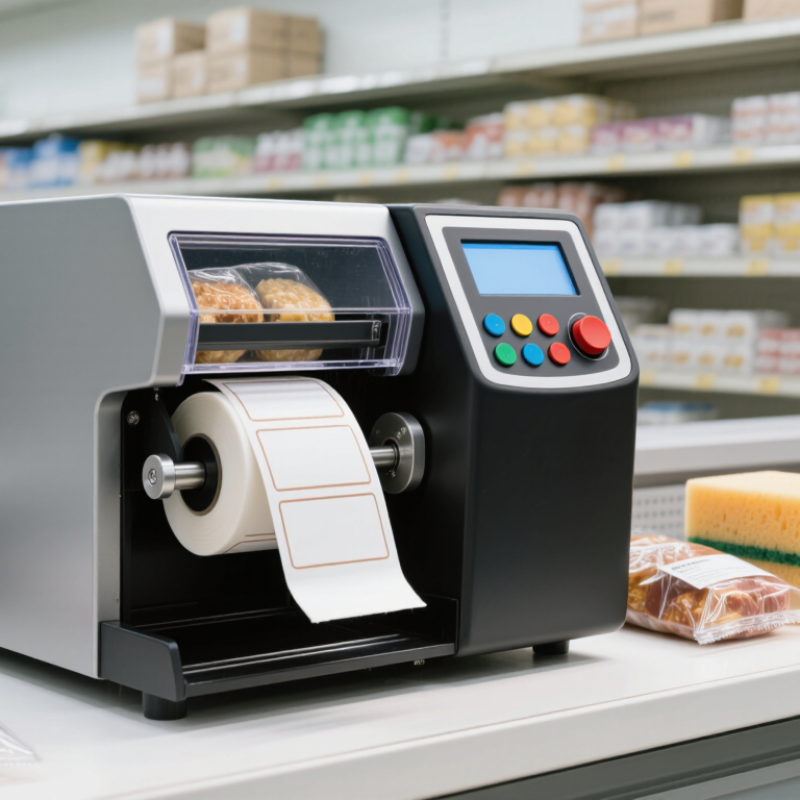
Why Choose an Automatic Price Labelling Machine?

What Is an Automatic Price Labelling Machine?

An automatic price labelling machine is a system that prints and applies price labels to products with limited manual handling. It usually combines a label printer, product sensor, control panel, and applicator. The machine reads product movement, prints the required information, and places the label in a selected position.

In a busy food, retail, or warehouse operation, this process can replace repeated hand labelling. A bottle passes along a conveyor. A sensor detects its shape or position. The printer produces a label containing the price, barcode, batch detail, or date. The applicator then presses it onto the package. Small errors matter. A crooked label may reduce scanning reliability or weaken presentation.

The machine can improve speed, consistency, and traceability when settings match the product and label material. Operators still need to check print quality, label adhesion, and data accuracy. Product surfaces are not always clean or even. Moisture, dust, and changing package sizes can affect results. I have found that simple calibration checks often prevent larger interruptions. However, automation is not magic. It needs suitable maintenance, clear operating procedures, and human review before production begins.

Why Choose an Automatic Price Labelling Machine?

What Is an Automatic Price Labelling Machine?

An automatic price labelling machine applies price or product labels to items with minimal manual handling. Based on an operating assumption of 300 items per hour for manual application and 1,200 items per hour for automatic application, the chart shows the estimated time required to label 1,000 items.

Under these assumptions, manual labelling requires approximately 200 minutes for 1,000 items, while automatic labelling requires about 50 minutes. This can help reduce repetitive labor, improve placement consistency, and support higher-volume packaging operations. Actual performance depends on product shape, label size, conveyor speed, operator workflow, and machine configuration.

How Does an Automatic Price Labelling Machine Work?

Why Choose an Automatic Price Labelling Machine?

An automatic price labelling machine connects product movement, data processing, printing, and label application. Products travel along a conveyor at a controlled speed. A sensor detects each item and signals the control system. The system then matches the item with stored pricing information. A thermal printer produces the correct label. An applicator places it on a fixed area, such as the front, lid, or side.

Some systems also use barcode scanners, cameras, or weighing devices. These tools help confirm product identity and label position. If the barcode does not match, the machine can pause or reject the item. This reduces pricing mistakes during busy production periods. However, automatic equipment is not perfect. Dust, uneven packaging, or poor sensor alignment can still cause failures. Regular checks remain necessary.

Tips: Keep product data accurate and review it before each production run. Clean sensors and printer heads daily. Test label adhesion on cold, curved, or slightly damp surfaces. Leave enough space around barcodes. A short trial run can reveal problems that settings alone may miss. Small adjustments often improve accuracy more than higher operating speed.

Which Business Challenges Can It Solve?

Why Choose an Automatic Price Labelling Machine?

Which Business Challenges Can It Solve?

In busy retail environments, price updates can consume hours of staff time. An automatic price labelling machine addresses this daily pressure with consistent, repeatable output. It prints clear labels quickly and reduces handwriting errors. Staff can spend more time checking shelves, assisting customers, and managing stock. That matters during promotions.

Price changes often create confusion between systems, shelves, and checkout records. Manual relabelling increases the chance of missed products or outdated information. The machine helps standardise label sizes, fonts, prices, and product details. It can also support batch printing when many items need updates. For products with limited shelf space, precise labels improve visibility. Clear information builds customer confidence.

From practical store operations, the largest benefit is process control. Employees can follow the same steps, even during busy shifts. Yet automation is not magic. Labels can still be wrong when source data is inaccurate. A reliable workflow needs approval checks, regular maintenance, and sample inspections. Teams should compare printed labels with current product records before distribution. The machine saves time, but human review remains essential. Mistakes still happen.

Why Choose an Automatic Price Labelling Machine? - Which Business Challenges Can It Solve?

Business Challenge Typical Manual Process How Automatic Price Labelling Helps Relevant Operational Data Business Result
High labour requirements Operators weigh products, calculate prices, print labels and apply them individually. Integrates weighing, price calculation, label printing and application in one controlled workflow. One automated line can combine several previously separate process steps; actual labour reduction depends on product mix and line layout. Lower repetitive work and more consistent staffing requirements.
Inconsistent label placement Label position varies between operators, especially during busy periods. Sensors and programmable applicators place labels at a defined position and orientation. Configured systems commonly target approximately 1–2 mm placement repeatability under suitable product and label conditions. Improved shelf presentation, scanability and compliance with internal packaging standards.
Pricing and weighing errors Manual keying can lead to incorrect weights, prices, product codes or dates. Uses stored product recipes, integrated scales and controlled data entry to reduce manual transcription. Modern retail scales generally calculate price from weight and a configured price-per-unit; verification is still required during setup and changeover. Fewer price discrepancies, relabelling tasks and customer-service corrections.
Slow production throughput Output is limited by the speed and attention of individual operators. Maintains a repeatable feed, print and apply cycle at a controlled line speed. Typical equipment is configured for product-dependent speeds ranging from dozens to several hundred packs per minute. Higher and more predictable output during peak production periods.
Frequent product changeovers Operators manually replace label rolls, adjust guides and select new product information. Recipe-based controls allow product settings and label formats to be selected and recalled consistently. Changeover time varies widely; well-prepared lines may complete routine format changes in roughly 10–30 minutes. Less setup variation and reduced non-production time.
Variable label quality Wrinkles, poor adhesion, unreadable print or incorrect label dimensions may go unnoticed. Controls label tension, print parameters and application timing; optional vision or barcode inspection can identify defects. Barcode verification can assess readability against the applicable symbology and quality requirements before dispatch. Reduced rejected packs, product rework and unreadable retail labels.
Traceability and date-code control Batch numbers, production dates and use-by dates may be entered or checked manually. Links label content to product recipes, production data and configured date rules. Common variable data includes product code, net weight, price, batch number, production date and use-by date. Better lot identification, stock rotation and recall readiness.
Material waste and relabelling Incorrect labels or poor application can require products to be opened, relabelled or repacked. Standardised settings and inspection options help prevent incorrect or defective labels from reaching later stages. Waste reduction depends on label accuracy, product handling, inspection configuration and operator training. Lower consumption of labels, packaging materials and rework time.
Limited production data Output, rejected labels and downtime are often recorded manually or not recorded in detail. Digital controls can record production counts, alarms, recipe use and other operating information. Available data depends on the machine controls, sensors, software integration and reporting configuration. More reliable performance monitoring and evidence-based process improvement.
Food and workplace hygiene requirements Frequent manual contact increases handling steps and makes cleaning routines more dependent on individual practice. Reduces direct product handling and can be specified with cleanable surfaces and suitable access for sanitation. Hygienic design requirements vary by product, environment and local regulations; equipment must be selected accordingly. More controlled handling and easier standardisation of cleaning procedures.

Note: Operating ranges are typical configuration-dependent values for automatic weighing and price-labelling equipment. Actual performance depends on product shape, weight, packaging material, label size, line integration, operator training and regulatory requirements.

What Benefits Does It Provide for Pricing Operations?

In a busy retail or warehouse setting, pricing work often begins with small details: a label roll, a product code, and a verified price file. An automatic price labelling machine turns these repeated tasks into a controlled workflow. It prints clear information and applies each label in a consistent position. This reduces handwriting differences, misplaced stickers, and slow manual handling. Staff can spend more time checking product condition, promotions, and shelf accuracy. The machine also supports faster price changes when product ranges or seasonal offers shift. That speed matters during a morning promotion. A trained operator can load materials, confirm settings, and monitor output without stopping the entire line.

Reliable pricing operations need more than speed. A suitable system can connect with approved pricing data, record production details, and help staff trace when labels were produced. Those records make routine checks easier. Regular calibration is essential. Dust, worn rollers, or uneven packages can affect placement. Small errors become expensive when repeated across thousands of items. Human review remains essential, especially after a price update or format change. In practice, clear visual checks catch problems that software may miss. The process is not completely automatic. It can create false confidence if employees skip verification. Teams should test a sample, compare it with the current price record, and document exceptions. Practical training and honest review make the machine dependable, rather than a quick fix.

How Should Businesses Choose the Right Machine?

Choosing the right automatic price labelling machine starts with the product, not the machine’s advertised speed. Measure package width, height, surface shape, and weight. A curved container may need different application pressure than a flat carton. Fit matters. Also check label dimensions, adhesive type, roll diameter, and printing requirements before requesting a quotation.

Production speed should match the entire line. A machine rated for 120 packages per minute may slow down when labels need precise positioning. Ask for a live trial using your products and actual labels. Watch for wrinkles, skewed labels, missed packages, and frequent operator adjustments. Test it. Review the control interface, sensor accuracy, changeover time, and cleaning access. These details affect daily output more than impressive specifications.

Reliable selection also requires attention to maintenance and future costs. Confirm spare-part availability, technical training, safety features, and data connection options. A simple machine may be better than an advanced model that operators find difficult to manage. Calculate electricity, label waste, downtime, and service expenses over several years. In practical assessments, teams sometimes focus too heavily on purchase price. That can be a mistake. I would also ask operators to run the trial, because their feedback may reveal awkward loading steps or poor visibility. No evaluation is perfect, and production conditions can change after installation. Leave room for that uncertainty.

Scroll to Top